
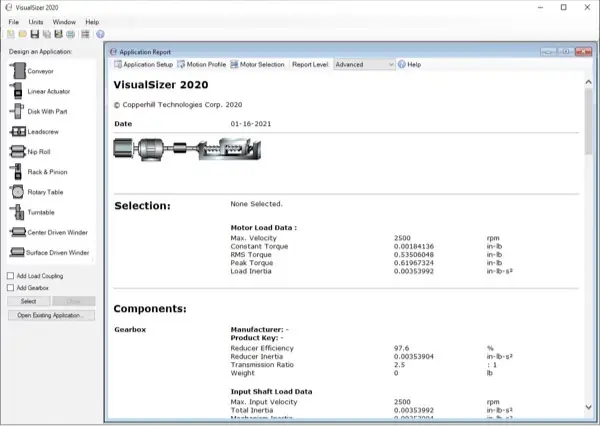
VisualSizer is a powerful and advanced servo motor database tool designed to streamline the process of developing motion control applications. It enables users to accurately calculate essential parameters such as speed, torque, and inertia requirements, ensuring optimal motor selection from an extensive database of servo motors.
Traditionally, this process required extensive manual calculations and could take hours to complete. With VisualSizer, these complex computations are performed in just minutes, providing engineers and designers with a faster, more efficient workflow. The software not only simplifies motor sizing but also makes the process intuitive and engaging.
One of VisualSizer’s standout features is its interactive nature—users can experiment with different parameters and immediately visualize the effects of their adjustments. This dynamic approach not only aids in selecting the ideal motor but also serves as an educational tool, helping users deepen their understanding of motion control concepts. Whether you’re an experienced engineer or new to servo motor sizing, VisualSizer enhances productivity and knowledge while making the process both efficient and enjoyable.
This is a concise overview designed to illustrate the core principles. A quick reference guide and a comprehensive user manual are in development, but they will take some time to complete.
Step 1: Defining the Mechanical Configuration

The above sample configuration applies a gearbox, coupling, and leadscrew to a servo motor. Mechanical components can be edited, replaced, deleted, copied, and pasted.
2. Duty Cycle (Motion Profile):
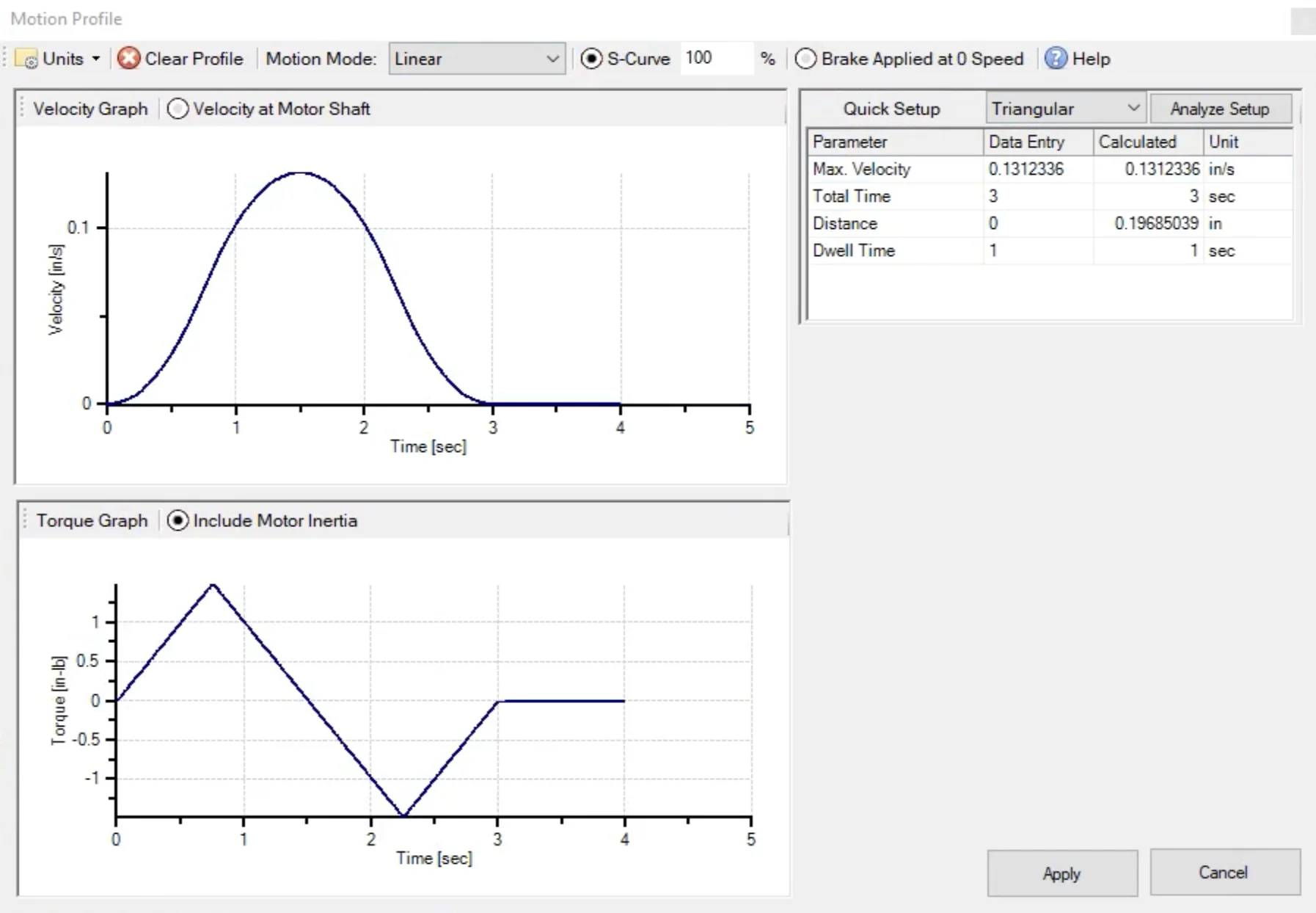
The duty cycle setup allows triangular or trapezoidal motion pofiles, with or without jerk limitation (S-Curve) applied. Motion segments are defined either in rotary or linear units. VisualSizer calculates the torque for each motion segment and shows the result as a graph.
3. Motor Selection
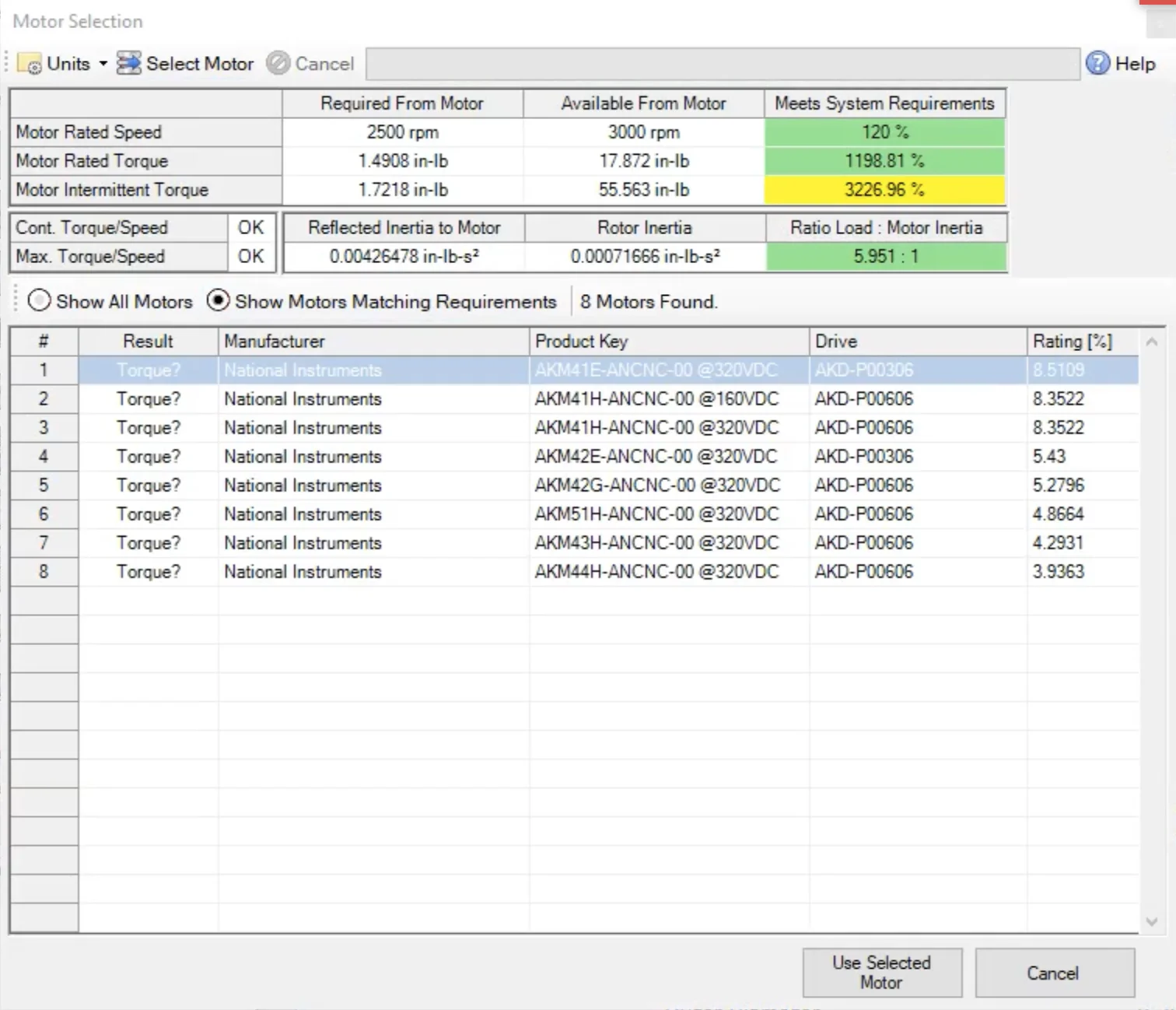
VisualSizer accesses the database and displays all motors that match the speed, torque, and inertia requirements. The user will have the final choice of which motor is being applied.
4. Application Report
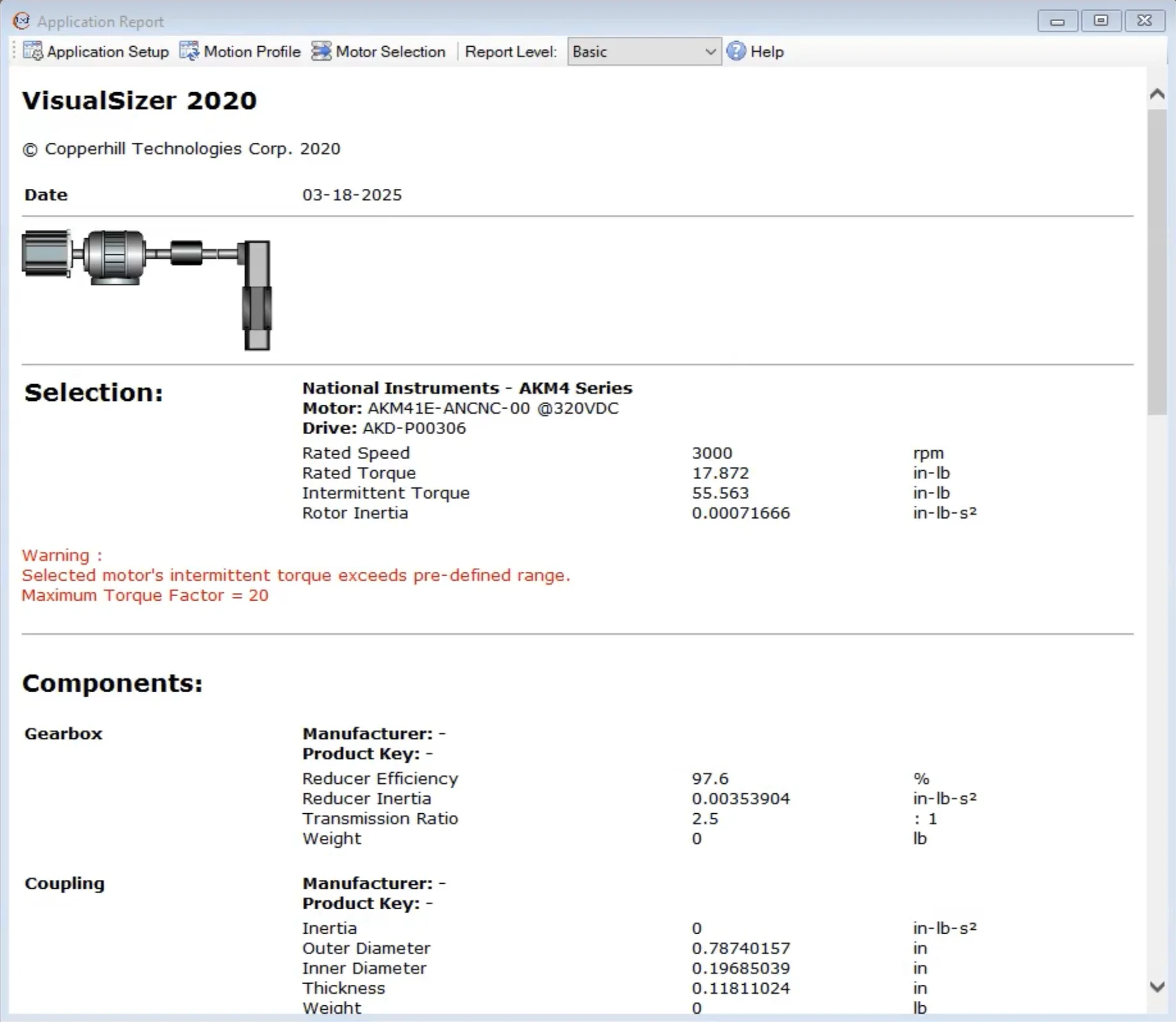
VisualSizer creates a detailed application report based on the data entries and calculated data.
5. Database Editor

The user can add, modify, and delete servo motor data. The previous version of VisualSizer offered 6,000+ motor/drive combinations.
